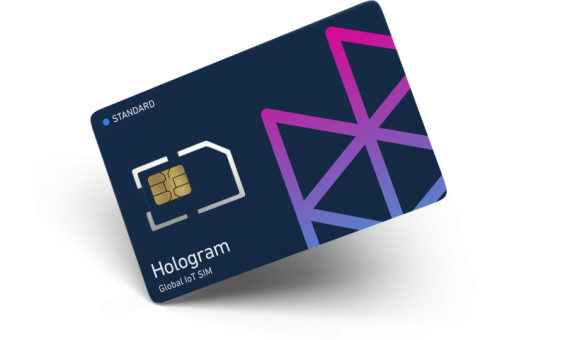
LB Phone Number Changer
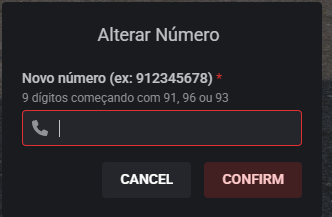
Optimize mobile number management on your server with this professional script, fully compatible with LB-Phone and the QBCore/ESX frameworks. Staff can quickly change any player’s number through an intuitive menu, while players can change their own number using a configurable item (e.g., phonecard).
Includes seamless integration with OxLib for menus and notifications, automatic Discord logging, and secure updating of the player’s own contacts—without affecting anyone else’s contacts.
Features:
Staff menu to change the number of any online player
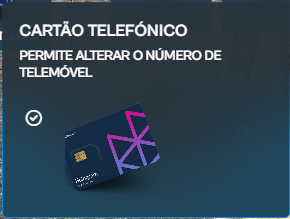
Players can change their own number using an item (phonecard)
Automatic update of the new number in all of the player’s personal contacts
Visual notifications and detailed logs sent to Discord
Compatible with QBCore and ESX
Easy translation for multiple languages (PT/EN included)
Does not delete or modify other players’ contacts
Perfect for roleplay servers that value efficient management, security, and user experience!
Support and documentation included. Quick installation.
Escrow

Car radio
🎵 Veltrix CarRadio VIP
The ultimate car audio system, built for servers that demand perfection and total immersion.
✨ Why choose Veltrix CarRadio?
- Premium Interface (Components V2): Forget outdated and confusing NUIs. The entire interface was strictly designed with the clean, modern, and minimalist standard of Components V2, ensuring an incredibly professional look.
- Mobile & Tablet Ecosystem: Native and seamless integration with LB Phone and LB Tablet. Control your car's music, volume, and queue directly from the palm of your hand through a dedicated app.
- Real-Time Synchronization: Did the song end? Did the queue change? The car's NUI and device apps update instantly with smooth animations, zero delays.
- Dynamic Themes (Light/Dark): The apps intelligently communicate with the in-game phone/tablet OS, instantly adapting colors to the player's preference.
- Smart Auto-Connect: The system has memory! Close the music app to read a text, and when you return, the app automatically reconnects to your last car without missing a beat.
- Realistic Roleplay Installation: Use physical tools and items (e.g.,
radio_tool,vip_radio) with progress bars and animations to install and remove equipment from vehicles. - Economy Protection (Ownership Check): Direct database verification. Actively prevents players from installing expensive sound systems in stolen NPC vehicles on the street.
⚙️ Dependencies
To ensure perfect operation, your server needs:
- Frameworks: QBCore, ESX or Standalone
- Supported Inventories: ox_inventory, qb-inventory, qs-inventory, tgiann
- Core Scripts: ox_lib, oxmysql, xsound
- Integrations (Highly Recommended): lb-phone, lb-tablet
🛠️ Installation & Items
- Place the
veltrix_carradiofolder inside your server'sresourcesfolder. - Open the
config.luafile and adjust your framework and inventory. - Add
ensure veltrix_carradioto yourserver.cfg(after ox_lib and xsound). - Add the items below to your inventory:
For ox_inventory (data/items.lua):
['vip_radio'] = {
    label = 'VIP Radio',
    weight = 1000,
    consume = 0,
    client = { event = 'veltrix_carradio:client:useItem' }
},
['radio_tool'] = {
    label = 'Sound Kit',
    weight = 500,
    consume = 0,
    client = { event = 'veltrix_carradio:client:useRemoveItem' }
}
For qb-core (shared/items.lua):
['vip_radio'] = {['name'] = 'vip_radio', ['label'] = 'VIP Radio', ['weight'] = 1000, ['type'] = 'item', ['image'] = 'radio.png', ['unique'] = false, ['useable'] = true, ['shouldClose'] = true, ['combinable'] = nil, ['description'] = 'Advanced sound system for vehicles.'},
['radio_tool'] = {['name'] = 'radio_tool', ['label'] = 'Sound Kit', ['weight'] = 500, ['type'] = 'item', ['image'] = 'toolbox.png', ['unique'] = false, ['useable'] = true, ['shouldClose'] = true, ['combinable'] = nil, ['description'] = 'Tools used to remove vehicle radios.'},
🛡️ Configuration & Support
The config.lua file is completely unencrypted to allow translation and custom configuration for your server. The script includes a smart system that notifies you directly in the server console whenever a new free update is available!
Text UI
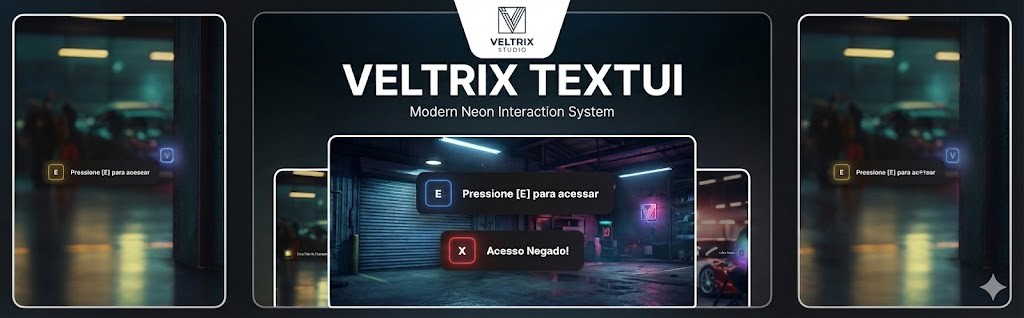
⚡ Veltrix TextUI | Next-Gen Neon Interaction
Give your server the premium feel it deserves.
Veltrix TextUI brings a sleek, modern, and highly optimized interaction interface to your players. Say goodbye to boring default notifications and upgrade to a high-quality Neon/Glow aesthetic that fits perfectly with any modern server environment.
🌟 Key Features
- 🎨 Stunning Visuals: Designed with a "Squircle" key shape and a dynamic Neon Bloom effect that lights up the background.
- 🧠 Smart Directional Animations: The script is intelligent. If you place the UI on the left, it slides in from the left. If it's on the right, it slides from the right. Smooth, fluid, and automatic.
- 🚀 Optimization: Extremely lightweight. Runs at 0.00ms (resmon) when idle.
- 🔊 Audio Feedback: Optional satisfying sound effects when the UI pops up.
- 🌈 Multiple Themes: Includes built-in color themes (Blue, Purple, Red, Yellow, Green, White, and Dark) to fit every situation (Errors, Success, Info, etc.).
⚙️ Compatibility & Configuration
- Standalone: Works on ANY server (ESX, QBCore, vRP, or Custom).
- Easy Config: Change the default position (Left/Right/Center) and keys in seconds via the
config.lua. - Plug & Play: Includes ready-to-use snippets to replace the default
DrawTextin ESX and QBCore globally.
📦 What's Included?
- Veltrix TextUI Script
- Installation Guide
- Full Support
📸 Images
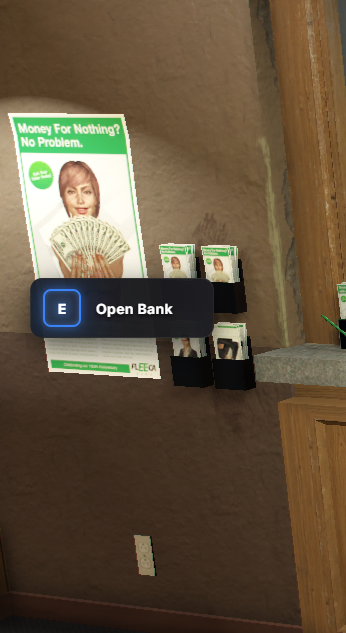
Upgrade your server's UI experience today with Veltrix TextUI.

Oil Job – Multi-Spot Oil Collection, Processing, and Selling
Transform your server economy with a complete oil job loop that’s fun, configurable, and production-ready. Oil Job enables players to collect crude oil at multiple active locations, process it at several stations, and sell the refined product at a single, well-defined location—creating natural hotspots and engaging gameplay.
Highlights:
Multiple collection spots active at once: spread activity across the map without rotation.
Multiple processing stations: encourage routing and emergent queues.
Single sale location: centralizes player interaction and market flow.
Configurable extraction quantity: min/max random or fixed per action.
Simple economic balance: configurable processing payout and a sell multiplier.
Polished UX: progress bar and notifications powered by ox_lib.
Safe, thematic animations with stability in mind.
Multi-language support included: EN/ES/PT.
Clean, documented, production-ready code.
Admin-friendly:
All parameters in config.lua (coords, times, quantities, prices, language).
Customizable item names, weights, and icons.
Anti-crash safeguards for entity validation and robust progress handling.
What’s included:
Clear installation instructions and item setup notes.
Why your players will love it:
Clear progression loop: collect → process → sell.
Creates lively routes and player traffic.
Easy to tune for starter-friendly or veteran economies.
LB Phone Number Changer
Optimize mobile number management on your server with this professional script, fully compatible with LB-Phone and the QBCore/ESX frameworks. Staff can quickly change any player’s number through an intuitive menu, while players can change their own number using a configurable item (e.g., phonecard).
Includes seamless integration with OxLib for menus and notifications, automatic Discord logging, and secure updating of the player’s own contacts—without affecting anyone else’s contacts.
Features:
Staff menu to change the number of any online player
Players can change their own number using an item (phonecard)
Automatic update of the new number in all of the player’s personal contacts
Visual notifications and detailed logs sent to Discord
Compatible with QBCore and ESX
Easy translation for multiple languages (PT/EN included)
Does not delete or modify other players’ contacts
Perfect for roleplay servers that value efficient management, security, and user experience!
Support and documentation included. Quick installation.